QR Code Scams: How to Check a Code Before You Scan or Pay
A QR code is a link in the shape of a square. Nothing about the square tells you where it goes, which is why a scammer can print one on a sticker and place it over a real code, or drop one into a message you never asked for. The check that catches most of these takes about two seconds: read the address that appears on screen before you open it, and never pay through a code that arrived unrequested. This guide covers where bad codes show up, how to check one, and what to do if you already scanned.
What a QR code scam is
A QR code scam is any scheme that uses a scannable code to send you somewhere you did not intend to go. The code usually opens a web page that imitates a parking service, a delivery company, a bank, or a store, and that page asks for a card number, a login, or a payment.
The code is not the dangerous part. It is a way of writing a web address that your eyes cannot read but your camera can. Everything that makes the scam work happens after the code opens: a page that looks familiar, a reason to hurry, and a field that wants your money or your password. The Federal Trade Commission describes the same pattern, including codes that lead to spoofed login pages or push a download onto the phone.
That is also why this is not really a new category of fraud. It is phishing with a new delivery method, and the Cybersecurity and Infrastructure Security Agency lists the same warning signs for it: urgent language, a claimed consequence for not acting immediately, and a request that arrives out of nowhere. In the FBI Internet Crime Complaint Center’s 2025 Internet Crime Report, phishing and spoofing was the most frequently reported crime type, with 191,561 complaints.
The distinction people miss
Scanning a code is not the risky step. Entering something on the page it opens is. A code you scanned and then closed usually costs you nothing. The decision that matters is what you do on the page after it loads.
The sticker placed over a real code
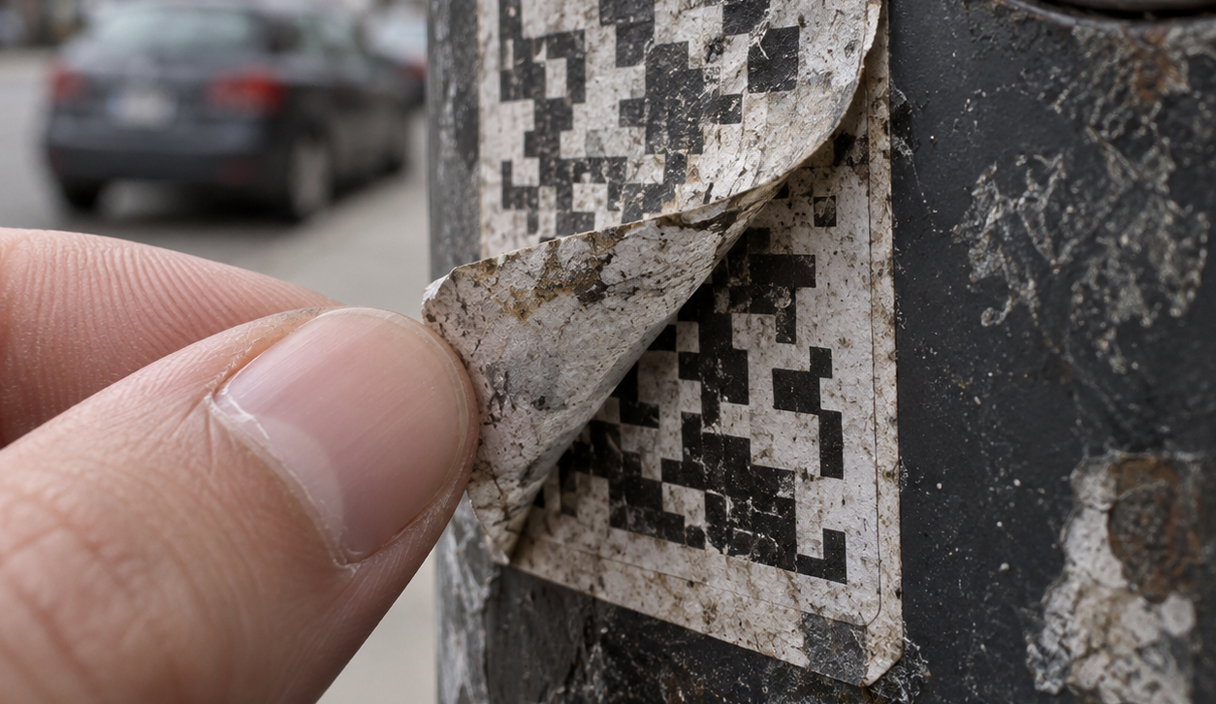
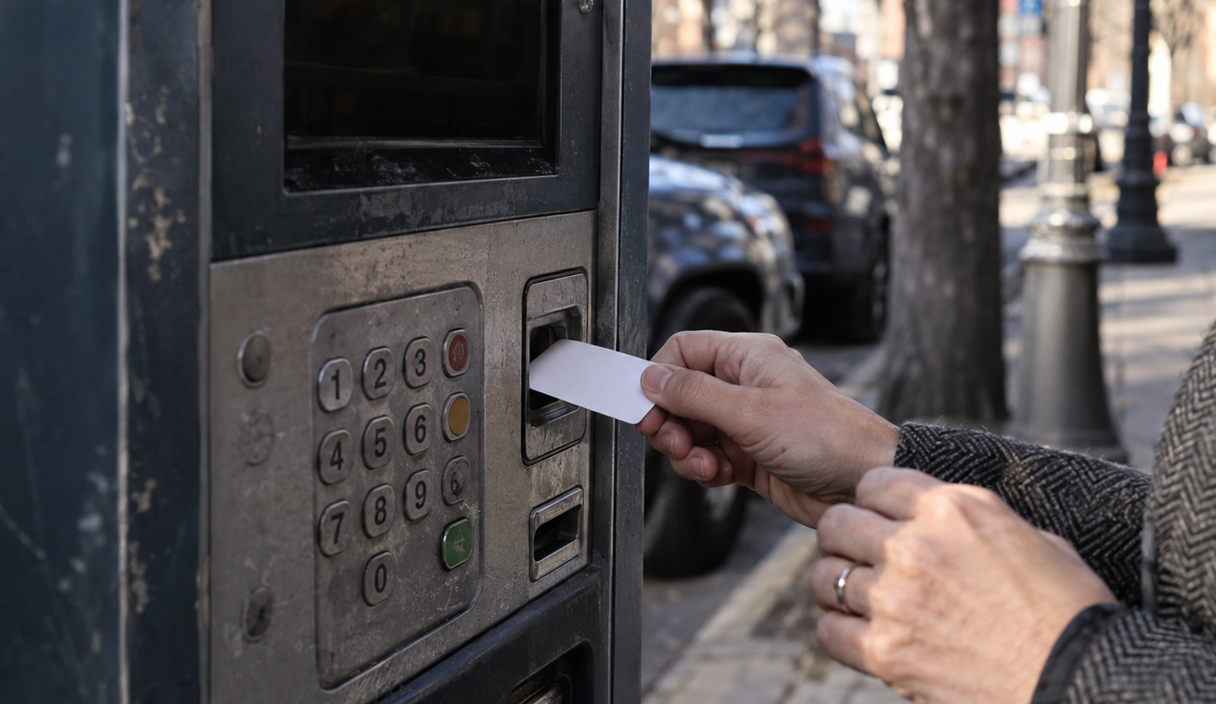
The most common version in the physical world is a printed sticker placed on top of a code that a real business put there. The parking meter, the restaurant table, the payment terminal at a counter, the poster on a bus shelter: anywhere a code is left unattended in public, a second code can be stuck over it.
The FTC has an alert built entirely around this, after people reported scammers covering up legitimate QR codes on parking meters with codes of their own. The fake code opens a page that looks like a parking payment page and takes the card number instead of the fee.
Two things follow from this. First, the business whose code was covered is a victim too. The parking operator, the restaurant, the transit agency did not send you anywhere, and the staff at the counter usually have no idea the sticker is there. Second, the tell is physical: a code on a sticker sitting over another code, a sticker with a different finish from the sign it is on, a curling edge, a code taped on rather than printed into the surface. If you can lift a corner, it was added.
Where to look before scanning in public
- Parking meters, pay stations and garage signs, where a fee is expected and hurry is normal.
- Restaurant menus and table tents, where the code is small and the lighting is bad.
- Payment terminals and counter displays in small shops.
- Flyers, posters and yard signs, which anyone can print and anyone can add to.
- Package lockers and delivery notices left in a lobby.
A code that arrives in a message you did not ask for
The second version arrives digitally: a code inside a text message, an email, a direct message, or a letter in the mail. The message gives you a reason to scan, and the reason is almost always a small problem that needs solving now.
The FTC’s advice on this is blunt: do not scan a code in an email or text message you were not expecting, especially one that pushes you to act immediately, and contact the company yourself using a number or website you already know. The Federal Communications Commission says the same about text messages in general in its guidance on smishing, the name for scam texts, and recommends not clicking links or calling numbers you do not recognize.
A printed letter with a code is harder for people to dismiss, because paper feels official. It should not change the check. A letter can be printed by anyone, and a code printed on it can point anywhere.
There is also a version aimed at messaging accounts. CISA’s mobile communications guidance, written for people at higher risk of being targeted, tells readers to avoid scanning group invitation links or QR codes from unknown sources, because a scanned code can link a stranger’s device to an account. The advice is worth borrowing even if you are not a high-value target.
How to check a code before you open the page
The check is the web address, not the code. Most phone cameras show the address in a banner or preview before they open anything, and that preview is the whole defense.
- Look at the sticker first if the code is in public. If it is stuck over another code, or peels at the corner, do not scan it. Pay at the machine, at the counter, or through the operator’s own app or website instead.
- Read the address in the preview before you tap. Read it from the right side inward, starting at the last part before the first single slash. That is the actual site. A long address that contains a familiar company name somewhere in the middle is not the same as that company’s site.
- Treat a shortened address as unreadable. If the preview only shows a link shortener, you cannot tell where it goes, so the check failed. Close it.
- Go to the source yourself when anything is asked of you. Type the company’s address by hand, or use an app you already installed, and look for the same notice there. If it is real, it will be in your account.
- Stop at the first request for a password, a card number, or a payment. That is the point where a bad page collects what it came for, and the point where closing the tab costs you nothing.
If the preview is off, if the page asks you to log in immediately, or if the page appears with a countdown or a threatened fine, close it and start over from the company’s real site. The FTC’s guidance on phishing works the same way here as it does for email links.
Why you should not pay through a code you did not ask for
A code that arrives on its own and asks for money is the single highest-risk case, because the payment is the crime. There is no later step where you get to check. If you pay through an unrequested code, the money moves first and the questions come afterward.
Legitimate bills reach you in a channel you already have: an account you can log into, a statement, a bill in the mail you were expecting, an invoice from a vendor you already work with. If a code shows up claiming an unpaid toll, an unpaid delivery fee, a utility about to be shut off, or a fine, go to that organization’s own site or app and check whether the charge exists there. Fake delivery fees are common enough to have their own playbook, covered in our guide to package delivery scams.
Watch the payment method too. A page that will only accept a gift card, a wire transfer, cryptocurrency, or a payment app transfer to a person is telling you something, because those payments are hard to reverse. The FTC makes the same point in its guidance on shopping online, where the payment method is part of the protection, not a detail. The same logic runs through our guide to online shopping scams.
What to do if you already scanned a bad code
Scanning alone usually causes no harm. What matters is whether you entered anything or paid. Work through this in order, starting with the account that is most exposed.
- In the first hour, call your bank or card issuer if you entered card or account details. Use the number on the back of your card or in your banking app, not a number from the page. Ask them to stop the payment if it has not settled, flag the card, and issue a new number. Under Regulation Z, your liability for unauthorized use of a credit card is capped at the lesser of fifty dollars or the amount charged before you notify the issuer, and the protection depends on notifying them, so speed matters. The FTC’s comparison of card protections explains why a debit card gives you less room than a credit card here.
- Change the password for any account you logged into. Change it on the real site, not through any link in the page you just left, and change it anywhere else you reused it.
- Turn on multi-factor authentication on the account you logged into, so a stolen password alone is not enough. If you approved a login prompt or entered a one-time code on that page, assume someone is already inside and check the account’s list of active sessions and linked devices.
- Check your statements. Look at recent transactions on the card or account, and keep checking for the next couple of statements. Small test charges often come before large ones.
- Keep the evidence. Photograph the sticker or code, keep the message, and note the address the code opened. Reports are more useful with that attached.
Where to report a QR code scam
Report it in two places: the government, so the pattern is recorded, and the business whose code or name was misused, so it can pull the sticker or warn customers.
Report to the FTC at ReportFraud.ftc.gov, which is the FTC’s intake for fraud reports. Report to the FBI’s Internet Crime Complaint Center as well, especially if you lost money, because that is where internet crime complaints are collected and routed to investigators.
If the code came by text message, forward the text to 7726, which spells SPAM on a phone keypad. The FCC points to this in its guidance on unwanted robocalls and texts, and it reports the sending number to your wireless carrier. You can also file with the FCC directly.
Then tell the business. A parking operator, a restaurant, or a transit agency can remove a sticker within the hour if someone tells them it is there, and a company being imitated can post a warning. Our guide to how to report a scam covers the order to do this in and what each agency does with the report.
What checking a code cannot do
Reading the address before you open it catches most of these, but it is not a guarantee, and it is worth being honest about the gaps.
A preview can be short enough to hide the real destination, and some addresses are built to look almost right. A page can also redirect after it opens, so what you previewed is not where you end up. Codes printed at very small sizes are hard to read carefully in bad light, which is exactly where restaurant and parking codes live.
Checking also does nothing about money already sent. If you paid a scammer by wire, gift card, cryptocurrency, or a payment app transfer, recovery is uncertain and often does not happen at all. A card payment gives you more room, because the issuer has a dispute process, but even there the outcome depends on the facts and the timing. Anyone promising to get your money back for a fee is running a second scam.
And none of this reflects on the person who scanned. These codes are placed in the exact spots where hurrying is normal, and they are printed to look like the sign they are covering. Missing one is not a character flaw. It is what the design is for.
QR code scam FAQ
Can scanning a QR code hack my phone?
Scanning by itself normally just opens a web address. The risk comes from what happens next: a page that asks for a login or a card number, or a prompt to install an app or a configuration profile from outside the official app store. Keep your phone’s operating system updated, decline any download you did not go looking for, and treat a login request that appears right after a scan as a reason to stop.
How can I tell a fake QR code sticker from a real one?
Look at it physically before you scan. A code added by a scammer is usually a sticker sitting on top of something else, with an edge you can feel or lift, a different paper finish from the sign around it, or a slight misalignment with the printed frame it sits in. If a code is printed directly into a sign, a menu, or a machine, it is much harder to tamper with. When in doubt, pay at the machine or at the counter instead.
What should I do if I paid through a QR code and it was a scam?
Contact your bank or card issuer right away and say the payment was fraudulent, because card and account protections depend on how fast you report. Ask whether the payment can be stopped and whether the card should be reissued. Then report it at ReportFraud.ftc.gov and to the FBI Internet Crime Complaint Center at ic3.gov. Recovery is not guaranteed, and it is least likely with wire transfers, gift cards and cryptocurrency, but reporting early gives you the best chance you have.
Are QR codes on restaurant menus safe?
The code the restaurant printed is usually fine. The problem is that menus and table tents are easy to reach, so a code can be covered. Before you scan, check that the code is printed into the menu rather than stuck on, and read the address in the preview: a menu code should open the restaurant’s own site or a familiar ordering platform, not a page asking you to log in or enter a card before you have ordered anything.
Should I install a QR scanner app to check codes?
You usually do not need one. Most phone cameras already show the destination address before opening it, which is the check that matters, and an extra scanner app is one more app with camera access and one more company handling what you scan. If your camera does not show a preview, look in your camera settings first before installing anything.
Keep reading
Package Delivery Scams: Fake Notices, Fees, and Tracking Links
Why a small delivery fee is the whole point, and how to check a tracking number without touching the link.
5 min readRead

How to Report a Scam and Try to Recover Your Money
Where to report, in what order, what each agency does with the report, and what recovery realistically looks like.
7 min readRead

Online Shopping Scams: How to Check a Store Before You Buy
The checks that expose a fake store in a few minutes, and the payment method that protects a purchase.
6 min readRead