Refund Scams: Fake Overpayments, Remote Access, and What to Do
A refund scam starts with money you are told is coming back to you, for a subscription you never had or a charge you never made. Then something goes wrong on purpose: the refund was processed for too much, and you are asked to return the difference. The extra money was never there. The turning point is almost always the moment you let someone control your screen, because that is what lets them show you a number that is not real. This guide covers how the script runs, how to end it safely, and what to do if money has already left.

How a refund scam usually runs
It begins with a refund nobody asked for. An email, a text, a pop-up, or a call says a subscription is auto-renewing, a purchase was charged in error, or a service is shutting down and owes you money. Every version gives you a number to call or a link to click, and that is the only real purpose of the message.
From there the sequence is consistent. You are told the refund has to be processed while you watch. You are asked to install an app so the agent can help. You are asked to log in to your bank on the shared screen. Then the agent types an amount, the screen shows far more money than expected, and the agent becomes distressed: the extra will come out of their pay, their job is at risk, and you need to send the difference back now.
The company whose name is used is not involved. These messages borrow the names of real retailers, antivirus makers, and payment services, and those companies are being impersonated rather than participating. The FTC describes this pattern across its guidance on tech support scams and refund and recovery scams.
The part that decides everything
The overpayment never happens. What you are looking at is a web page, a moved decimal point, or a transfer between two of your own accounts, arranged by someone with control of your screen. Nothing was refunded, so there is no difference to return. The money you would send back would be entirely your own.
Why remote access is the turning point
Remote access software lets another person see and control your device as if they were sitting in front of it. That is what turns a phone call into a loss, because it lets a stranger operate your accounts and decide what the screen shows you.
With that access, someone can move money between your own checking and savings and display the result as an incoming refund, edit what a page appears to say, open your banking session, read saved passwords, and install software that stays behind after the call ends. None of it requires any special skill. It requires you to click accept once, usually while being told it is standard procedure.
The FTC’s guidance on tech support scams is direct about the request itself: do not give control of your computer to anyone who contacted you out of the blue. Real support for a refund does not need to watch you log in to your bank, and no legitimate refund requires you to be inside your account while it is issued.
If screen sharing is already running while you read this, the next section is the part that matters.
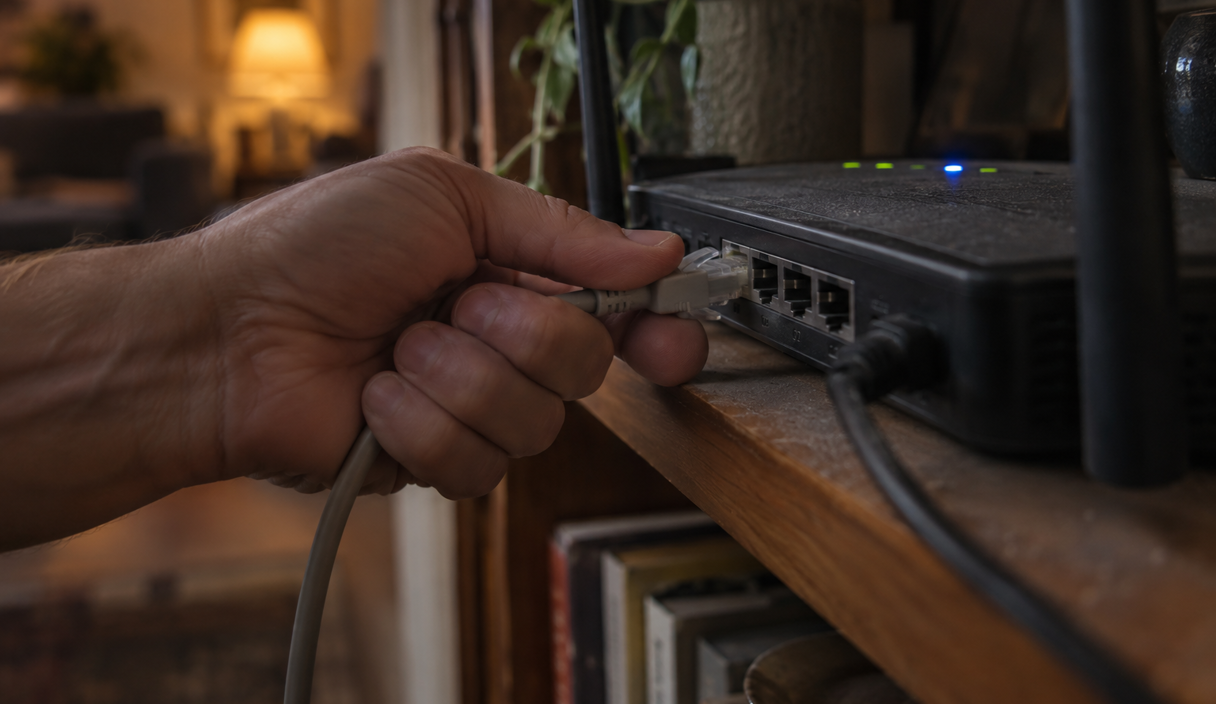
What to do if someone has access to your screen right now
Disconnect the device from the internet first, then call your bank on a number you look up yourself. Everything else comes after those two.
- Cut the connection immediately. Turn off Wi-Fi, unplug the network cable, or put the phone in airplane mode. Do not wait for the person to finish a sentence, and do not explain what you are doing.
- Hang up and stay off that number. Do not call back to apologize or clarify. If they call again, do not answer, even when the caller ID looks familiar.
- Call your bank from a different device, on a number you found yourself. Use the number on the back of your card or inside your own banking app, not one from the call or the message. Say that someone had remote access to your device and to your banking session, and ask for the account to be secured and recent transfers reviewed.
- Ask specifically about transfers between your own accounts. Money moved from savings to checking is what made the screen look convincing. Ask the bank to check for that and for anything sent out.
- Remove the remote access software. Uninstall any app they had you add, from the device’s own settings. If you are unsure what was installed, have the device looked at by someone you chose before using it for banking again.
- Change passwords from a different, clean device. Start with email, then banking, then anything that reuses the same password. Turn on two-step sign-in.
- Report it. File with the FTC at reportfraud.ftc.gov and with the FBI at the Internet Crime Complaint Center.
If you did not send anything and no money moved, you still want steps four through seven. Access on its own is worth reporting, because what was installed and what was read matters later.
How they ask for the difference back
The return is always requested in a form that cannot be reversed. That is the most reliable signal in the whole script, because a genuine correction of a genuine overpayment would simply be reversed by the company that sent it.
- Gift cards. You are sent to a store, told which cards to buy, and asked to read the numbers on the back over the phone.
- A wire transfer. Fast and hard to recall. Our guide on what to do immediately after sending a wire covers the recall request and its limits.
- Cryptocurrency, often at a machine. Sometimes framed as the only way to refund an international transaction.
- Cash by mail or courier. Wrapped in something else, with instructions about what to tell anyone who asks.
- A payment app transfer to a stranger. Described as a vendor account or a correction account.
Two extra tells usually travel with the request. You are told not to discuss it with the bank, the cashier, or your family, with a reason attached. And you are kept on the line throughout, including in the store, which exists to stop you from having a moment alone to think.
A request to return money in gift cards, crypto, or cash is not how any company, bank, or agency corrects a refund. It is only how someone collects money that cannot be traced back.
Why this version works on careful people
Because the script does not ask you to be greedy. It asks you to be decent, which is a much harder impulse to switch off.
By the time the money is requested, the person on the phone has spent twenty minutes being helpful. They have a name, a case number, and a manager. The problem they present is their problem: an error they made, a shortfall that will come out of their wages. You are not being asked to claim something. You are being asked to fix something for someone who has been patient with you.
The urgency arrives wrapped in apology rather than threat, which is exactly why it gets past defenses built for aggressive callers. And the proof is on your own screen, in your own bank, in a session you opened yourself, which is the most persuasive evidence there is.
Anyone can be moved by that, including people who know these scams exist. It is a rehearsed performance meeting an ordinary instinct, and the instinct is not a flaw.
What to do if money already went out
Act on the payment method first, because what is possible depends almost entirely on how the money left. Then file the reports, even if the amount feels small.
- A card charge. Call the issuer and dispute it. Cards have the strongest dispute process of any method here.
- A bank transfer or wire. Call the bank immediately and ask for a recall request. The Office of the Comptroller of the Currency advises contacting your bank and the receiving bank to request a recall, and notes that wires are meant to be final, so nothing here is promised.
- Gift cards. Call the card issuer printed on the card, say the numbers were given to a scammer, and ask whether any balance can be frozen. Keep the cards and the receipts.
- Cryptocurrency. Report the transaction to the exchange or app you used and save the wallet addresses and transaction records. These transfers are not reversible.
- A payment app. Report it in the app and to the bank or card behind it, and ask what its fraud process covers.
Then report. The FTC takes reports at reportfraud.ftc.gov and publishes the steps for each payment method in what to do if you were scammed. The FBI takes reports at IC3. If your bank will not act, the CFPB’s fraud and scams pages explain the consumer complaint route. Our guide on how to report a scam and try to recover your money covers the order.
How to spot the message before any of this starts
The cleanest defense is never using the contact details in the message. Every version of this scam depends on you reaching them, because the message is a lure rather than a notice.
- Check the charge in your own account first. If no charge exists, there is nothing to refund and nothing to discuss.
- Contact the company through the app or the website you already use, not a number in an email, a text, or a pop-up.
- Treat an invoice or renewal notice for something you do not recognize as a lure, not a bill. Do not call the number on it.
- Refuse remote access, screen sharing, and any app installed at someone else’s request.
- Never read gift card numbers to anyone, for any reason.
- Never log in to your bank while someone is watching your screen or listening on the phone.
One habit covers most of it: an unexpected refund is never urgent. Real money owed to you will still be owed tomorrow, after you have looked up the company yourself and called a number you found. The people running this script know that, which is why hurrying you is the first thing they do.
Refund scam FAQ
I was refunded too much and they want the difference back. Is that real?
Almost certainly not. The overpayment shown on your screen is typically a page that was edited or a transfer between two of your own accounts, arranged by someone with remote access. Check your balances yourself on a device they never touched before sending anything.
What is the first thing to do if someone has remote access to my device?
Disconnect it from the internet, by turning off Wi-Fi or using airplane mode, and hang up. Then call your bank from a different device using a number you looked up yourself, and say that someone had access to your device and your banking session.
Can a real company ask to access my computer to process a refund?
A refund does not require it. The FTC advises never giving control of your computer to someone who contacted you out of the blue, and no legitimate refund needs you to be logged in to your bank while it is issued.
I gave them gift card numbers. Is there anything I can do?
Call the company printed on the gift card right away, tell them the numbers were given to a scammer, and ask whether any balance can be frozen. Keep the cards and the receipts, and report it to the FTC. Acting quickly gives the best chance, though recovery is not guaranteed.
Where should I report a refund scam?
Report to the FTC at reportfraud.ftc.gov and to the FBI’s Internet Crime Complaint Center at ic3.gov. Report it to your bank or card issuer as well, and to the company whose name was used, since that company is being impersonated.
Nothing was sent, but they had access to my screen. Do I still need to do anything?
Yes. Remove any software they had you install, change passwords from a different device, turn on two-step sign-in, and ask your bank to review recent activity, including transfers between your own accounts. What was read or installed during the session still matters.
Keep reading

Impostor Scams: Government, Business, and Family Impersonation Explained
One mechanism behind many scams: someone you trust, a problem invented, and a payment that cannot be undone.
7 min readRead

How to Report a Scam and Try to Recover Your Money
Where to report, in what order, what each agency does with the report, and what recovery realistically looks like.
7 min readRead

Bank Account Hacked? What to Do First
The order of the first hour: the bank, the credentials, the devices, the written report, and the paper trail.
6 min readRead