SIM Swap Scams: Warning Signs, Immediate Steps, and Prevention
In a SIM swap, a criminal persuades a wireless carrier to move your phone number onto a phone they control. Your calls and texts go to them, which matters because so many accounts still send verification codes and password resets by text message. The first sign is often silent: your phone simply stops having service. This guide covers what to do in that first hour, how to lock the line afterward, and what the FCC now requires carriers to offer.

What a SIM swap is
A SIM swap is the fraudulent transfer of your mobile service from your phone to a phone in someone else’s hands. The carrier is deceived, not hacked, and your handset is never touched.
The FCC’s guide to cell phone fraud describes two versions. In a SIM swap, the criminal convinces your existing carrier to move your number to a different SIM. In port-out fraud, they open an account at a different carrier while posing as you and have the number ported across. The result is the same for you: the number stops working on your phone and starts working on theirs.
The FBI’s Internet Crime Complaint Center reported in a February 2022 public service announcement that it received 1,611 SIM swapping complaints in 2021, with adjusted losses of more than 68 million dollars, and noted that these schemes are carried out through social engineering, phishing, or a dishonest employee at the carrier.
Nothing about being targeted reflects on the person targeted. The weakness being exploited sits between the criminal and the carrier, in a process the customer never sees.
Why your phone number is the target
Your phone number is worth stealing because so many accounts treat it as proof of identity. A text-message code and a phone-based password reset both assume that whoever holds the number is you.
The FBI describes the sequence plainly: once the number is moved, the criminal sends password reset and account recovery requests to the email and online accounts tied to it, and the codes arrive on their device. Bank accounts, email, and cryptocurrency accounts are the usual destinations.
This is the practical reason that NIST Special Publication 800-63B, Revision 4, published in August 2025, classifies authentication over the public telephone network as restricted. It still works, and it is still better than nothing, but it carries a risk the other methods do not.
The first signs
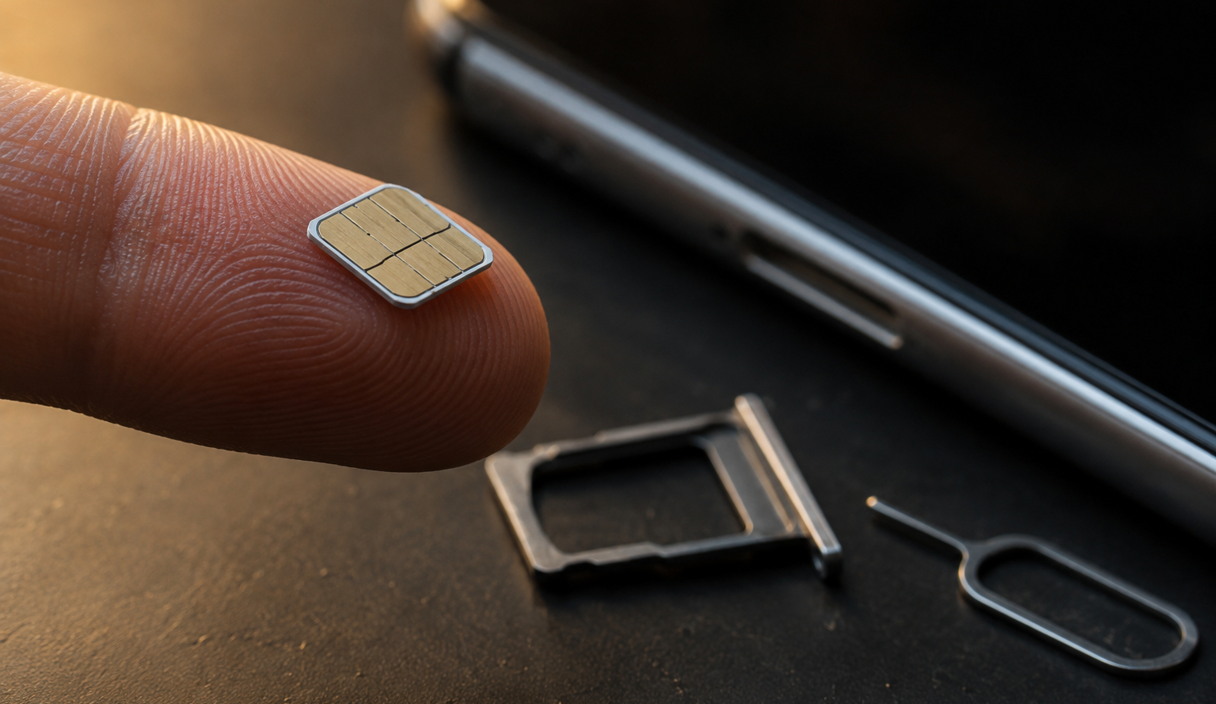
The clearest sign is a sudden and complete loss of mobile service with no outage and no reason: no calls, no texts, no mobile data, usually while Wi-Fi still works normally. The FTC lists exactly this, together with a notification from your carrier that your SIM card has been activated on a new device.
Other signs arrive slightly later. You cannot sign in to accounts you have used for years. Password reset emails appear that you did not request. Your bank calls about a transaction you know nothing about. Someone tells you your number called them and it was not you.
How to tell this apart from an ordinary outage
An outage usually affects other people too. Check whether another phone on the same carrier, in the same room, still works. If yours is the only dead one, or if you received a message about a SIM change or a number transfer you did not request, stop troubleshooting the handset and call the carrier from another phone. Restarting your phone costs you the minutes that matter most.
What to do in the first hour
Speed matters here more than in almost any other scam, because the criminal is racing through password resets while the number is theirs. Use a second phone or a computer, since your own line is the thing that stopped working.
- Call your carrier immediately, from another phone. Say you believe your number was transferred without authorization and ask them to restore it and freeze any further changes. The FBI’s advice is to reach the carrier through the number on your bill or the official website rather than any number you were sent.
- Change the password on your main email account, from a device that is not the affected phone. Email is the reset path for the rest, so it comes before the bank.
- Change banking and payment passwords, then sign out of all other sessions in each account’s security settings.
- Call your bank and card issuers and tell them a SIM swap is in progress. Ask them to watch for transfers and to note the report, which creates a written record and a timestamp.
- Remove the phone number as a recovery method on the accounts that matter, and replace it with an authenticator app or a security key.
- Check what changed while the number was gone: recovery email addresses, mail forwarding rules, trusted devices, and new payees.
- Write it all down as you go, with times, names, and case numbers. Banks and agencies ask for specifics weeks later.
- File the reports once the line is back, as described below.
Recovering money is not guaranteed and depends on the institution, the payment type, and how quickly you reported it. Notifying the bank fast is what gives you the best chance, not a promise of one.
How to lock the line
Every major carrier offers two protections that are not on by default for most people: an account PIN or passcode separate from your voicemail PIN, and a lock that blocks SIM changes and number transfers until you remove it. Turning both on takes a few minutes in the carrier’s app or a phone call.
Ask for these by name when you contact your carrier. Terminology varies, but the underlying features do not.
- Set an account PIN or passcode. The FTC’s advice is to set a PIN or password on the cellular account so changes cannot be made without it. Make it different from your voicemail PIN and from anything guessable from public information.
- Turn on the number lock or port-out protection. Carriers call it a number lock, port freeze, port-out protection, or SIM protection. It blocks a transfer request until you turn it off yourself.
- Turn on notifications for account changes, and make sure they go to an email address, not only to the phone number that might be taken.
- Add an authorized-user restriction so nobody else on a family plan can move your line.
- Check it again after any upgrade or plan change, because these settings occasionally reset when a line is modified.
Move what matters off text-message codes
Locking the line reduces the chance of a swap. Moving your important accounts off text-message verification removes most of what a swap would be worth, and that is the more durable fix.
Start with email, then your bank, then any account holding money or identity documents. Replace text-message codes with an authenticator app or a physical security key wherever the account allows it. The comparison of two-factor methods covers which to pick, and passkeys remove the typed code entirely.
Two cautions. Where a site offers only text messages, keep them on: CISA’s fact sheet on phishing-resistant MFA is explicit that any form of MFA beats none. And check the recovery settings as well as the sign-in settings, because an account that signs in with an app but still resets by text message has not really moved.
What carriers are now required to do
On November 15, 2023 the FCC adopted rules aimed specifically at SIM swap and port-out fraud, which changed what a carrier has to do before moving your number and what it has to tell you.
According to the FCC’s own announcement of the Report and Order, wireless providers must use secure methods to authenticate a customer before redirecting a phone number to a new device or provider, and must immediately notify customers whenever a SIM change or port-out request is made on their account. The order also requires providers to keep records of SIM change requests, to have a process for failed authentication attempts, and to offer customers the option to lock their accounts to block SIM changes and number ports. The full proceeding is public.
Two things follow for you. First, that notification is worth treating as urgent rather than as noise, because it is designed to reach you before the transfer completes. Second, the account lock is something you are entitled to ask for, not a favor. If a carrier representative does not know the feature, ask again or use the app.
Reporting it, and what recovery looks like
Reporting does not by itself return money, and no agency can promise that it will. It creates the record that banks, carriers, and investigators work from, and it is usually required before a financial institution will treat the loss as fraud.
File with the FBI’s Internet Crime Complaint Center, which handles SIM swap complaints and is the source of the figures above. Report the scam to the FTC at ReportFraud.ftc.gov. If your personal information was used to open accounts, the FTC’s free IdentityTheft.gov produces a recovery plan and the letters that go with it. You can also file a complaint about the carrier itself with the FCC.
On the money side, the FTC’s page on what to do if you were scammed sets out what is realistic by payment method, and the honest summary is that outcomes vary and depend heavily on speed. If a bank account was reached, work through the steps for a compromised bank account as well.
Finally, keep an eye on the phone itself. A SIM swap is an attack on the carrier rather than on your handset, but if other things also look wrong, the checks in how to tell whether your phone is compromised will tell you whether there is a second problem.
SIM swap FAQ
What is the first sign of a SIM swap?
Usually a sudden, total loss of mobile service with no outage: no calls, texts, or data, while Wi-Fi still works. The FTC also lists a notification from your carrier that your SIM was activated on a new device. Check whether another phone on the same carrier still works before troubleshooting your own.
What should I do first if I think my number was taken?
Call your carrier from another phone and ask them to restore the number and freeze further changes. Then change your main email password from a device that is not the affected phone, then banking passwords, and sign out of all other sessions. Speed is what gives you the best chance.
How do I stop a SIM swap from happening?
Set an account PIN or passcode with your carrier, separate from your voicemail PIN, and turn on the number lock or port-out protection that blocks transfers. Since November 2023 the FCC requires carriers to offer an account lock of this kind and to notify you of SIM change and port-out requests.
Should I stop using text-message codes altogether?
Move the accounts that hold money or identity to an authenticator app, a security key, or a passkey. Where a site offers nothing else, keep the text codes on, because CISA’s guidance is that any form of MFA is better than none. Check the recovery settings too, not just the sign-in settings.
Can I get my money back after a SIM swap?
Sometimes, and it depends on the institution, the payment method, and how fast you reported it. There is no guarantee. Notify the bank immediately, file with IC3 and the FTC, and keep a written record of every call, time, and case number, because that record is what later claims rest on.
Keep reading

Two-Factor Authentication: How It Works and Which Method Is Safer
SMS, app codes, and security keys are not equally strong. What to turn on first and why.
6 min readRead

How to Know If Your Phone Is Hacked and What to Do
Which symptoms actually mean something, how to check, and the order of the cleanup.
6 min readRead
Bank Account Hacked? What to Do First
The order of the first hour: the bank, the credentials, the devices, the written report, and the paper trail.
6 min readRead