How to Block Unknown Numbers on Android and iPhone
To stop getting calls from numbers you do not know, use the setting that silences or blocks unknown callers: on iPhone it is Screen Unknown Callers, under Settings, Apps, Phone, and on older versions it is called Silence Unknown Callers; on Android it is the Unknown toggle under Blocked numbers, plus Do Not Disturb. A specific number is blocked from your call history. Blocking stops the repeat calls, but it does not stop the same person from trying again from another line.
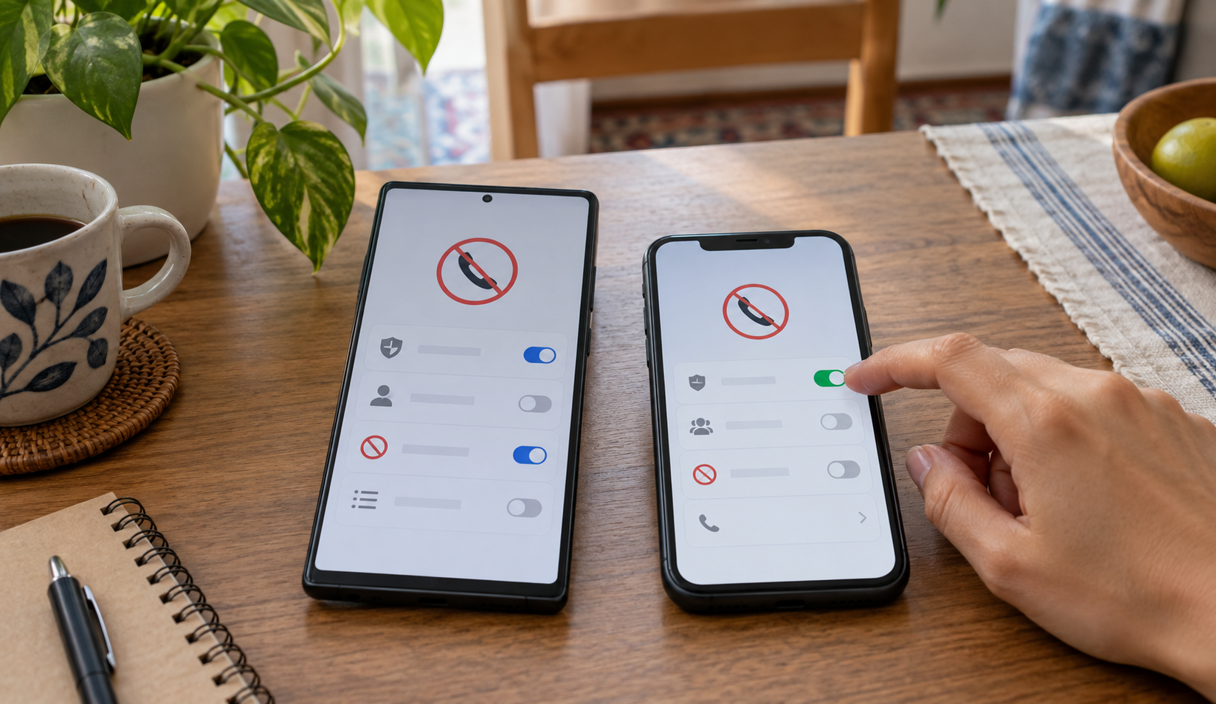
The path on each system
Neither system has a single button that refuses every call from someone who is not in your contacts. What exists are settings that silence those calls or block the ones that arrive with no number at all. The table shows where each one lives. The paths were checked on September 22, 2026 on the support pages of Apple, Google and Samsung, and the names can change with the version of the system and the brand of the phone.
| System | Block one number | Handle unknown callers |
|---|---|---|
| Android, Google Phone app | Call history, tap the call, then Block / report spam | More, Settings, Blocked numbers, turn on Unknown (covers calls with no caller ID only) |
| Samsung Galaxy, Phone app | Three dots, Settings, Block numbers, then add the number | Same screen, turn on Block calls from unknown numbers |
| iPhone | Calls or Recents, tap the info button, then Block Caller | Settings, Apps, Phone, Screen Unknown Callers, choose Silence |
Blocking unknown callers on Android
In the Google Phone app, which comes installed on many Android phones, blocking unknown callers follows these steps, according to the app’s official help page:
- Open the Phone app.
- Tap More, the three-dot icon.
- Tap Settings, then Blocked numbers.
- Turn on Unknown.
Read carefully what that setting actually does. It blocks calls from private or unidentified numbers, the ones where your screen shows no number at all. Calls from numbers that simply are not saved in your contacts keep ringing as usual.
On Samsung phones the Phone app is a different one. The path described by Samsung’s US support page is to tap the three dots, go to Settings and then Block numbers, where you will find the switch for Block calls from unknown numbers and the field to add a number you want blocked. Before relying on it, read the description shown on your own phone, because there too the setting may cover only calls with no caller ID.
If what you want is for only saved contacts to make your phone ring, the Android path is Do Not Disturb. In Settings, open Modes, choose Do Not Disturb and, under People, allow calls from your contacts only. Google’s help page on Do Not Disturb also shows Allow repeat callers, which lets a call through when the same person calls twice within 15 minutes. Some of those steps exist only on Android 14 and up, and each manufacturer may name them differently.
Blocking unknown callers on iPhone
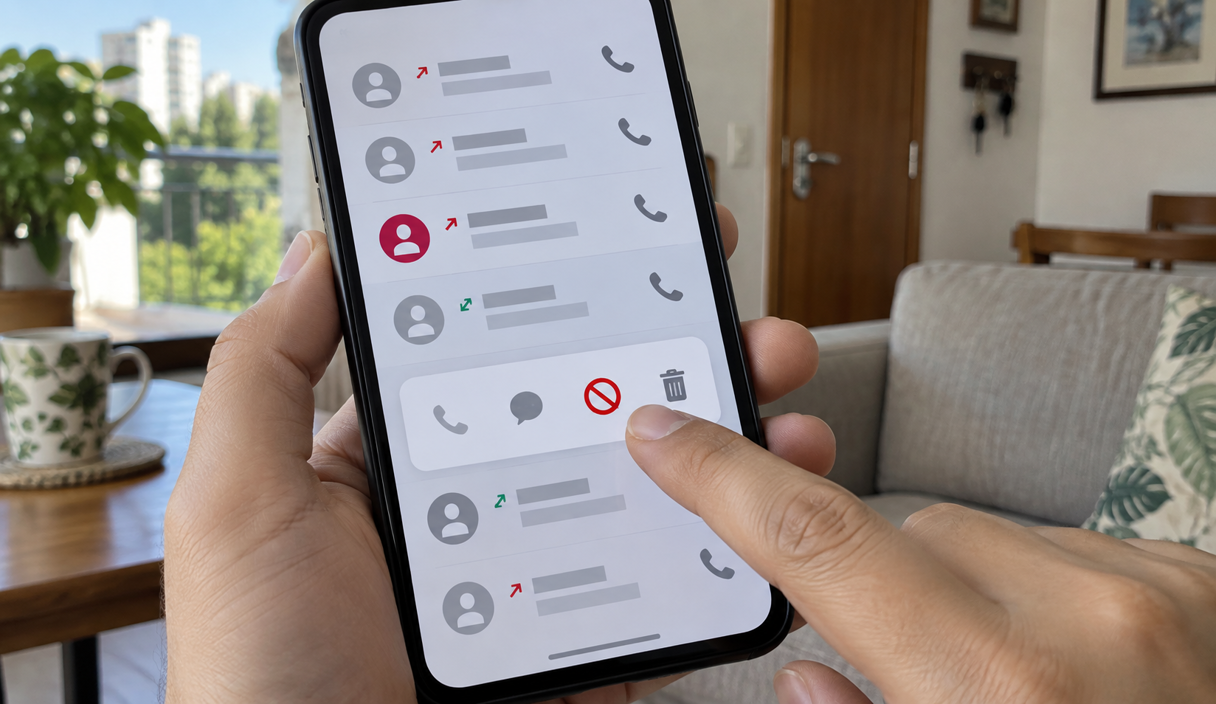
On iPhone the setting is called Screen Unknown Callers. On earlier versions of iOS the same control is named Silence Unknown Callers, so if that is what your phone shows, you are in the right place. The path Apple describes is this:
- Open Settings and tap Apps.
- Tap Phone.
- Scroll to Screen Unknown Callers.
- Choose Never, Ask Reason for Calling, or Silence.
With Never, calls from numbers outside your contacts ring like any other. With Ask Reason for Calling, your iPhone asks the caller why they are calling before your phone rings. With Silence, those calls do not ring at all: they go to voicemail and show up afterward in your list of calls.
On the same screen, under Call Filtering, the spam option silences calls your carrier identified as spam or possible fraud. One detail worth knowing: if you call emergency services, call screening turns off for 24 hours, so a callback from 911 dispatch or a hospital can reach you.
Blocking one specific number
When the same number keeps calling, block just that one from your call history. In the Google Phone app, open the call history, tap the call and choose Block / report spam. Calls received while a number was blocked will not appear in your history afterward.
On iPhone the Phone app has two layouts, and the path differs slightly. In the unified layout, open the Calls tab and tap the number. In the classic layout, open Recents and tap the info button, the “i” beside the number. Either way, scroll down and tap Block Caller, as shown on Apple’s page about blocking numbers. You can also add someone from Settings, under Privacy and Security, then Blocked Contacts and Add Blocked Contact. A blocked caller can still leave a voicemail, but you do not get a notification for it.
Calls from unknown numbers in WhatsApp
Blocking on the phone does not cover WhatsApp, which carries its own calls. To keep unknown numbers from making your phone ring there, follow the path in the WhatsApp Help Center: tap Settings, then Privacy, then Calls, and turn on Silence unknown callers.
Silenced calls still appear in the Calls tab and in your notifications, they just do not ring. If you call or message one of those numbers, its calls stop being silenced.
What blocking does not fix
Blocking does not confirm whether a call was fraud, does not cancel any charge and does not protect your other accounts. If someone already received a password, a code or access to your device, that has to be handled directly in the service affected. It is also not worth calling back just to ask them to stop, because an answer confirms the line is active.
An example
One morning the phone rings four times from the same unknown number. On the third, she answers and hears someone saying he is from her bank’s fraud department and needs to confirm a card purchase. She hangs up and blocks the number. That afternoon another call comes in, from a different number, with the same story. The block stopped that one line, but whoever is running the scam has others.
Callers can also make a number appear on your screen that is not theirs, including a bank’s. That is why blocking that number does not stop the attempt. How it works is explained in the number on your screen can be faked, along with the verified caller label that carriers now add to some calls. If a call asks for information, a code, a password or a payment, hang up and reach the company through its app or its published number. The script these calls usually follow is laid out in what vishing is.
If you already sent money during a call like that, tell your bank right away that the payment was fraudulent, because what can be done depends on how fast you report it. The steps are in what to do after an instant payment scam, and you can report the call to the FTC at ReportFraud.ftc.gov.
Sales calls and the Do Not Call Registry
To get fewer sales calls, add your number for free to the National Do Not Call Registry. It is a list that tells legitimate telemarketers which numbers to leave alone, and the FTC says it can take up to 31 days before those calls stop.
What it does not do matters just as much. The FTC states that being on the Registry will not stop calls from scammers: those calls are already illegal, and the people placing them do not consult the list. The Registry is a list rather than a filter, so it blocks nothing on its own, and debt collection, surveys, political calls and companies you already do business with sit outside it. For the calls you actually want stopped, the FTC’s own advice is call blocking and call labeling, which is what the settings above do.
How not to miss the calls that matter
Delivery drivers, doctors’ offices, schools, pharmacies and contractors all call from numbers that are not saved. Before you silence unknown callers, save the numbers you cannot afford to miss, such as your child’s school and your doctor’s office, which is what Apple recommends too. If you are waiting on a particular call, check your recent calls and your voicemail more often for a few days.
Legitimate services can usually explain their business through another channel, without asking for a password or a code. When an important call lands in the silenced list, you are the one who calls back, using the number you already had or one you found on the official site.
Blocking unknown numbers FAQ
Is there one setting that blocks every call from a number I have not saved?
Not exactly, on either system. The Unknown switch in the Google Phone app blocks calls that arrive with no number at all, and on Samsung phones the description on your own screen tells you what that brand’s switch covers. On iPhone, Screen Unknown Callers set to Silence sends calls from numbers outside your contacts to voicemail instead of ringing. The closest thing to a single switch is Do Not Disturb with calls allowed from your contacts only.
Does the other person find out that I blocked the number?
There is no notification telling them. On iPhone a blocked caller can still leave a voicemail, you simply do not get an alert for it. In the Google Phone app, calls that came in while the number was blocked stop appearing in your call history.
I blocked the number and the calls kept coming. Why?
A block stops one line. A scam operation usually runs many of them, and the number your screen shows can be faked, so a call from a new number the next day is the normal outcome rather than a sign that anything was done wrong. Blocking still helps, it just is not the part that decides whether a call is safe.
I am on the National Do Not Call Registry and the calls have not stopped.
The FTC says plainly that being on the Registry will not stop calls from scammers, because those calls are already illegal and the people placing them do not consult the list. For legitimate telemarketers the FTC says it can take up to 31 days. Debt collection, surveys, political calls and companies you already do business with sit outside the Registry as well.
If I silence unknown callers, will I miss calls that matter?
You can, which is why it is worth saving the numbers first: the doctor’s office, the pharmacy, your child’s school, a contractor you are waiting on. Silenced calls are not lost, they go to voicemail and appear in your call list, so check recent calls and voicemail more often for a few days. On iPhone, call screening turns off for 24 hours after you call emergency services, so a callback can reach you.
Does blocking on my phone cover WhatsApp calls too?
No. WhatsApp carries its own calls, so that setting lives inside the app: Settings, then Privacy, then Calls, then Silence unknown callers. Silenced calls still show up in the Calls tab and in your notifications, they just do not ring.
Sources
The menu paths and the rules were checked on September 22, 2026 on these pages:
- Google: block or unblock a number in the Phone app
- Google: modes and Do Not Disturb on Android
- Samsung: block a phone number or contact on your Galaxy phone
- Apple: manage unknown callers on iPhone
- Apple: block phone numbers, contacts and emails
- WhatsApp: how to silence calls from unknown numbers
- Federal Trade Commission: how to block unwanted calls
- Federal Trade Commission: National Do Not Call Registry FAQs
- National Do Not Call Registry
Keep reading
Who Owns This Phone Number and How to Check Safely
What you can actually look up, what no tool proves, and how to confirm a company on your own.
9 min readRead

Impostor Scams: Government, Business, and Family Impersonation Explained
One mechanism behind many scams: someone you trust, a problem invented, and a payment that cannot be undone.
9 min readRead
SIM Swap Scams: Warning Signs, Immediate Steps, and Prevention
Losing signal for no reason can be the first sign. The carrier call, the account lock, and the port-out PIN.
9 min readRead