How to Lock a Stolen Phone and Protect Your Accounts
If your phone was stolen, work in two directions at once: lock the device and lock the accounts that live on it. From another phone or a computer, open Find My on iPhone or the find-my-device page on Android to mark the phone as lost and, if you are not getting it back, erase it. Then call your carrier to suspend the line and report the device as stolen, call your bank, change the password on your main email account, and file a police report. There is no single service in the United States that does all of this for you.

Lock it down now, in this order
If the phone was unlocked when it was taken, or had banking and email apps open, start with the accounts. Use a computer or a phone you trust and do whatever you can reach right now:
- Mark the phone as lost, or erase it. From another device, open icloud.com/find for an iPhone or android.com/find for an Android phone.
- Change the password on your main email account and sign out of every open session. Email is what resets the password on everything else.
- Call your bank and your card issuers. Report the phone stolen, ask them to block access from that device, and go through recent activity while you have someone on the line.
- Call your carrier. Ask them to suspend the line, deactivate the SIM or eSIM, and report the device as stolen so the IMEI goes on the industry blocklist that participating carriers check before activating a phone.
- Ask the carrier to lock the account against a transfer of your number to another phone, with a port-out PIN or the number lock setting, if it is not already on.
- Tell the people closest to you, through a channel they recognize, to ignore any request for money that arrives in your name until you confirm you have control again.
- File a police report and keep the report number with every case number the carrier, the banks, and the email provider gave you.
None of this guarantees the phone or the money comes back. It cuts down what is still reachable and creates the record each company asks for later. If you are in immediate danger, call 911. Do not go to the location the map shows on your own.

Why there is no single button that blocks everything
In the United States there is no one service that tells your carrier, your bank, and your phone maker at once that a phone was stolen. Each of them has to hear it from you, and each one blocks something different: the carrier handles the line and the handset on the network, the phone maker locks or erases the device, and the bank blocks the account.
That is why the order above matters. Start with whatever was already signed in on that phone, because that is what somebody can use in the next hour. The carrier call protects the line and makes the handset harder to resell; it does nothing about an app that is still logged in over Wi-Fi.
The distinction people miss
Suspending your line and reporting the device stolen are two separate requests, and neither one signs anybody out of your apps. Locking the handset, locking the line, and locking the accounts are three different jobs. Only you can start all three, and they do not happen automatically because you called one of them.
Your line, your SIM and the handset are three different locks
Suspending the line stops your number from being used for calls, texts, and the verification codes that arrive by SMS. Reporting the device as stolen is a separate request: it identifies the handset by its IMEI, so participating carriers can refuse to activate it on their networks.
A SIM is the physical card. An eSIM is the same line written into the phone. Either one has to be deactivated by the carrier for your number to stop working on that device, and a phone with two lines can have both.
If you do not have the IMEI written down, it is still on the box, on the receipt, and in your Google Account or Apple Account device list. Each path is in how to find your IMEI. If you cannot find it at all, give the carrier your phone number, the date and time of the theft, and your account details: they can normally locate the IMEI from that.
While you have the carrier on the line, ask about a port-out PIN or a number lock on the account, so nobody can move your number to a phone of their own. That move is what sits behind a SIM swap, and losing the number means losing every code that arrives by text.
Locate, mark as lost, or erase the phone
On Android, the find-my-device page at android.com/find, or the same app on another Android phone, lets you find, secure, or erase a lost device when a few things were already true: the phone was signed in to the account, turned on, and connected. A command can sit pending until the phone comes back online. After an erase, the location stops appearing.
On Apple devices, Find My locates the device, marks it as lost, or erases it, from the Find My app on another Apple device or from icloud.com/find in a browser. Erasing remotely cannot be undone. On iPhone with iOS 15 or later and iPad with iPadOS 15 or later, the location can still be available after the erase; on earlier versions it stops.
Even after erasing an iPhone or iPad, do not remove the device from your Find My list. Apple’s guidance for a lost device explains that removing it also turns off Activation Lock, which makes the phone easier to unlock and resell.
What someone can reach with your phone
Blocking the handset on the network does not end a session, change a password, or stop an app from working over Wi-Fi. Protecting the equipment and protecting the accounts are different tasks, and the second one is the urgent half.
An unlocked phone can open the banking app with limits already approved, the payment apps that move money in seconds, the confirmation codes arriving by text or authenticator, the email account used to reset every other password, and the conversations with people who trust you.
- Email: change the password from a device you trust, sign out of every session, and check the recovery phone number and address for anything you did not set yourself.
- Banks: report the theft, ask them to block access from the stolen device, review recent activity, and follow each bank’s own instructions.
- Cards: freeze or replace the cards saved in the wallet app and watch for charges you do not recognize.
- Everything else: sign out of open sessions and change passwords first on the services that hold personal data, documents, or a saved payment method.
If you see a transaction you did not make, say so in the same call and write down the case number. Do not try to sort it out through a phone number or a link that arrived in a message: look up the official channel yourself. When money has already moved, the order of the calls is in bank account hacked: what to do first.
Tell your contacts
Someone who can use your messaging apps can talk to people who know you and ask for money in your name. That is different from someone building a fake profile with your photo on a new number, but both situations need the same warning.
Use another channel, such as a phone call, an email, or a social account, and ask people to ignore any request for money until you confirm you have control again. If you lost access to your WhatsApp account, follow WhatsApp account stolen: how to get it back. Get your own account back first; do not report it before you have tried. Reporting is for the separate fake profile somebody else is running.
If someone already paid
Whoever sent the money should call their bank the same day and report it as fraud. An instant payment, a wire, or a same-day transfer is built to move fast and is often impossible to pull back once it lands, so the call has to happen while there may still be money to freeze. The steps are in instant payment scam: what to do.
The fake message saying your phone was found
Days or weeks after the theft, a text, an email, or a message can arrive saying your phone has been found. It carries Apple’s or Google’s name, but it does not come from them: it comes from whoever has the phone, and what they want is the password to your account. The link opens a page that copies the sign-in screen, and the password typed there lets them remove the device from your account and put it up for sale.
An example
Three days after her phone was taken at a bus stop, a text arrives on the new SIM: “Your lost device has been located. Tap to see where it is on the map.” The link opens a map and, right under it, a box asking her to confirm the email and password on the account. She has been waiting for news about the phone, so the message reads as real.
Apple says it never contacts people to tell them a lost iPhone or iPad has been found, and tells you never to give out your device passcode, your password, or a verification code to anyone who asks for it. If a message like that arrives, do not tap the link. To see where the device is, type icloud.com/find or android.com/find into the browser yourself. A fake page built to capture a password has a name, phishing, and the signs are in what phishing is.
When to file a police report
File the report after you have started the urgent blocks, not before. None of the companies above needs the report first. Say where and when it happened, describe the phone, and include every IMEI you have. Add any transaction or sign-in attempt you noticed, without writing down passwords or security codes.
Many police departments take this kind of report online or over a non-emergency line, and others want you to come in. Call the non-emergency number for your local department and ask which applies. If the theft involved a threat, or you are still in danger, that is a 911 call rather than an online form.
Keep a copy of the report with the case numbers from the carrier, the banks, and the other services. The report documents what happened; it does not replace any of the blocks.
If somebody used your information to open accounts or file anything in your name, report identity theft at identitytheft.gov, which produces a recovery plan and the affidavit companies ask for. Fraud losses can also be reported to the Federal Trade Commission at reportfraud.ftc.gov and, when money moved online, to the FBI Internet Crime Complaint Center at ic3.gov. The full order is in how to report a scam.
What to set up before it happens
A few settings make the difference between a bad hour and a bad month:
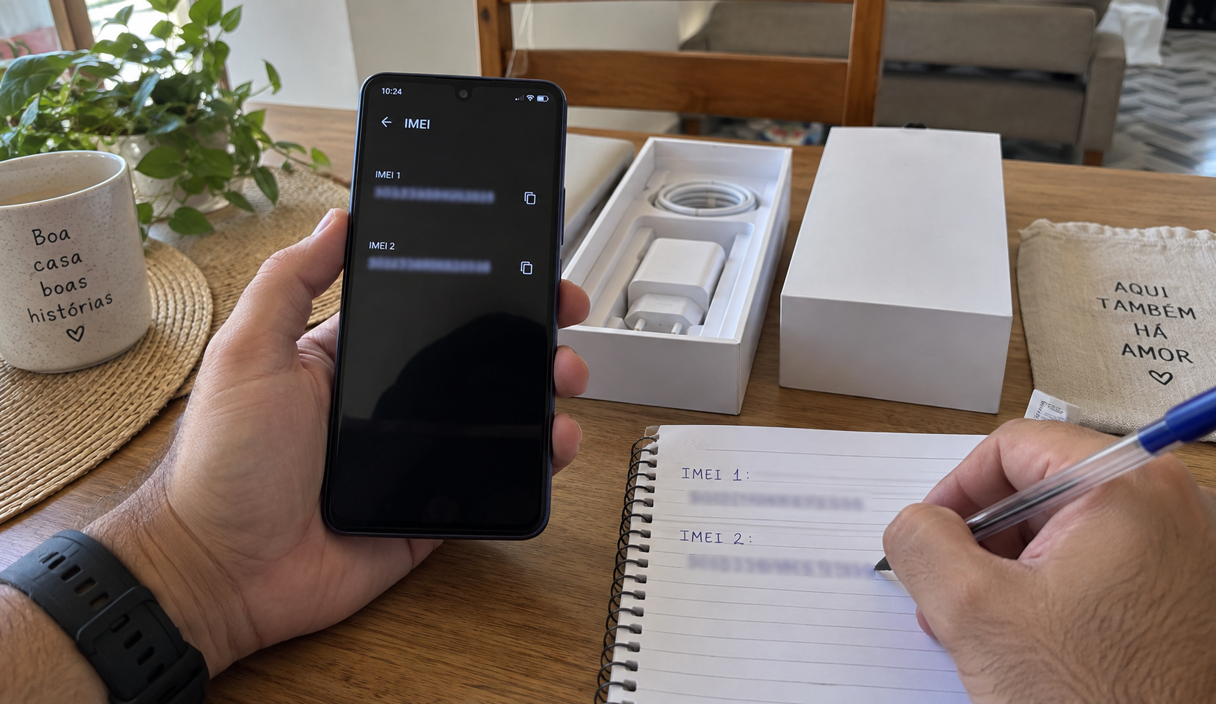
- Write down the IMEI and keep it off the phone. See how to find your IMEI, including when the phone has two.
- On iPhone, turn on Stolen Device Protection, in Settings, Face ID and Passcode. Away from familiar places such as home and work, it requires Face ID or Touch ID for actions like viewing saved passwords, and it adds an hour’s delay before the Apple Account password can be changed, according to Apple. It needs iOS 17.3 or later.
- On Android, turn on the theft protection features, in Settings, Google, All services. They include locking the screen when the phone is snatched out of your hand and locking it when the device goes offline, according to Google’s help pages. Which ones you get depends on the version and the model.
- Turn on the SIM PIN, the code the phone asks for when it starts up. Without it, the SIM works in somebody else’s phone.
- Ask your carrier for a port-out PIN or number lock on the account, so your number cannot be moved without it.
- Turn on two-factor authentication on your main accounts, and prefer an app or a security key over text messages where the option exists. The trade-offs are in two-factor authentication.
- Check whether your bank lets you set a lower daily limit for instant transfers than the one it gave you by default.
- Leave the find-my-device service turned on, on Android or iPhone, and know how to sign in to it from a computer before you need to.
- Keep a second way to receive codes that does not depend on that phone, such as backup codes printed and kept at home.
Stolen phone FAQ
Does suspending my phone number also block the phone itself?
No. Suspending the line stops your number from working on a SIM or eSIM. Reporting the device as stolen is a separate request that identifies the handset by its IMEI, so participating carriers refuse to activate it. Ask for both in the same call, and give every IMEI the phone has, including the one for a SIM slot you never used.
Do I need a police report before I can block anything?
No. Start with the email account, the bank and the carrier; none of them requires the report first. File it afterwards and keep the number with the other case numbers, because some companies ask for it later in a dispute.
Can I still locate the phone after erasing it?
It depends on the system and the version. On Android the location stops appearing after an erase. On iPhone with iOS 15 or later and iPad with iPadOS 15 or later, Find My can still locate a device that was erased. Either way, do not go to the place on the map yourself; give the location to the police.
The phone was unlocked when it was taken. What comes first?
The accounts, not the handset. From another device, change the email password and sign out of every session, then call the bank, then the carrier, then mark the phone as lost or erase it, then warn your contacts. An unlocked phone is a set of open sessions, and those are what somebody can use right away.
The line is in somebody else’s name. Can it still be suspended?
The carrier normally takes that request from the account holder. If the line sits on a family plan or a work account, get the person or the company listed on the account onto the call, or ask them to make it. Filing the police report and locking your own accounts do not depend on whose name the line is in.
Should I change my phone number afterwards?
Usually not. The carrier can move the same number onto a new SIM or eSIM, which is faster and keeps your contacts and your two-factor codes working. Changing the number is worth considering only when there is a specific reason in your case, such as the number itself being used against you.
Sources
The settings, the menu paths and the reporting channels were checked on September 22, 2026, on these pages:
- Apple: use Find My to locate a lost device
- Apple: what to do if your iPhone or iPad is lost or stolen
- Apple: about Stolen Device Protection
- Google: find, secure, or erase a lost Android device
- Google: theft protection features on Android
- CTIA: Stolen Phone Checker
- Federal Trade Commission: report fraud
- Federal Trade Commission: identitytheft.gov
- FBI: Internet Crime Complaint Center
What a carrier or a police department will do in your case depends on the company and on where you live. Ask them directly rather than assuming the rule is the same everywhere.
Keep reading
How to Find Your IMEI Number and When You Need It
Where the number is, how to find it after the phone is gone, and why a phone can have two of them.
12 min readRead

SIM Swap Scams: Warning Signs, Immediate Steps, and Prevention
Losing signal for no reason can be the first sign. The carrier call, the account lock, and the port-out PIN.
12 min readRead
Bank Account Hacked? What to Do First
The order of the first hour: the bank, the credentials, the devices, the written report, and the paper trail.
12 min readRead