How to Spot a Fake Email Before You Click
To spot a fake email, read the sender’s full address, find out where the link actually goes, and look closely at any message that wants a password, a verification code, a payment, or personal details on a short deadline. No single sign decides it on its own. When something does not add up, close the email and look for the same notice inside the company’s own app or website, opened by you.
This kind of scam is also called phishing, the word for a fake message that imitates a bank, a store, a government agency, or someone you know in order to get a password, personal details, or money. Email is only one of the routes. The same scam arrives by text message and by messaging apps, which is covered in what phishing is and how to recognize it.
Whoever sends it sends the same text to a very large list, counting on a share of the people to actually bank where the email says, or to have an order waiting from that store. That is why a message can feel written for you when it went to thousands of addresses at once.
Start with the sender’s full address
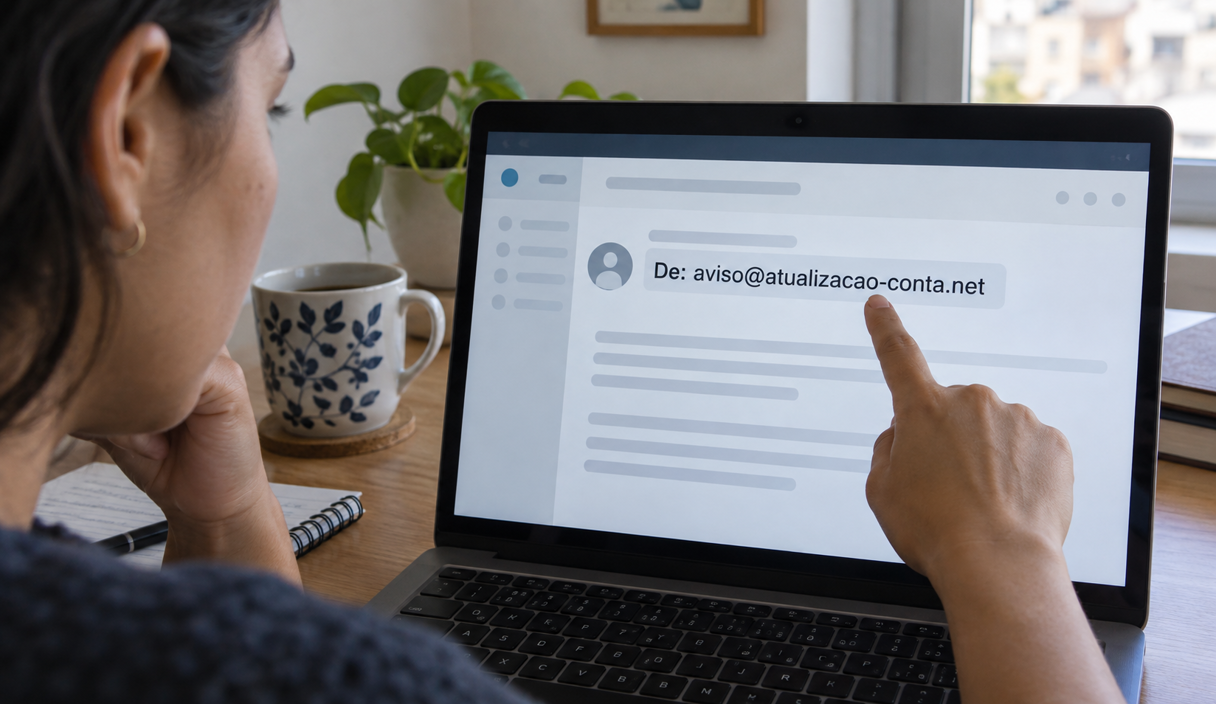
The display name in your inbox is chosen by whoever sent the message, so the check is the address behind it, especially the part after the at sign. A familiar company name attached to an unrelated domain, or a free mailbox writing on behalf of a business, is reason enough not to continue.
Gmail’s help page on phishing says to check that the address matches the name shown, and reminds readers that Google does not ask for your password by email. Even so, an address that looks correct is not proof. Real accounts get broken into, and the sender line can be forged, which is why the Cybersecurity and Infrastructure Security Agency treats the request in the message, not the name on it, as the thing to judge.
Signs in the text of the email
After the sender, read what the message is asking you to do. The Federal Trade Commission’s guidance on phishing and the CISA page above point to the same handful of signs:
- Urgency or a threat. An account suspended today, a fee if you do not pay within 24 hours, a last notice before cancellation. The short deadline exists so that you act before checking.
- A prize, a refund, or a benefit. A refund released, points about to expire, a drawing you do not remember entering.
- A request for a password, a code, or personal details. A banking password, a card number, a Social Security number, or the one-time code that just arrived on your phone, typed into a page the email opened.
- A generic greeting. “Dear customer” or “Hello, user” instead of your name. It is a weak sign on its own, because a scam message can also carry your correct name.
- A charge you do not recognize. An invoice for a purchase you never made, sent so that you click to cancel it.
Spelling mistakes do show up, but do not lean on them as the main test. Fake messages can be written well, and a real company email can contain a typo.
A fake email, sign by sign
An example
On a Tuesday morning, Dana opens her email on her phone and finds a message carrying the name of a store she has bought from before. The subject line says the payment for her last order was declined and that the order will be canceled at noon. She does have a delivery on the way, and that coincidence is what makes the notice feel real.
The message below was written by us, from scratch, to show how an email like that is usually built. It uses no real brand, and the addresses end in “.example”, an ending reserved for examples that belongs to no website.
Recreated example
From: Example Store ([email protected])
Subject: Final notice: your order will be canceled today
Dear customer, we were unable to confirm the payment for your recent order. To avoid cancellation, update your card details before 12:00 PM today.
[button: Update payment, pointing to secure-store-billing.example/login]
What gives this one away:
- The sender carries the store’s name, but the domain after the at sign is something else, picked by whoever sent it.
- The deadline of a few hours pushes the decision ahead of the moment you would open the store’s own app.
- “Dear customer” shows the same text went out to a long list at once.
- The button points to an address that does not belong to the store, even with the words “store” and “secure” sitting inside it.
- The closing request is to type card details into a page the email opened, instead of checking the order inside your own account.
In Dana’s case, the safe move was to close the email and open the store’s app. If the payment had really failed, the notice would be there, in the order history.
Find out where the link really goes
The words on a button do not have to match the address it opens. On a computer, resting the cursor over a link without clicking shows the destination in the corner of the screen. On a phone, pressing and holding a link usually shows the full address. If you are worried about opening it by accident, skip that test and go straight to the official app.
Read the whole domain. Extra words, swapped letters, and shortened addresses all hide where a link ends up. Our guide to how to check if a link is safe shows which part of an address identifies the owner of the site.
HTTPS is the “s” at the start of the address. It means the connection between your device and the site is encrypted, so nobody in between can read it. It says nothing about who owns the page. Chrome itself stopped showing the padlock in the address bar in version 117, released in September 2023, and put a settings icon in its place. According to the Chromium blog, many people read the padlock as a sign that a site was trustworthy, and nearly every phishing site already uses HTTPS.
Unexpected attachments deserve care
An invoice, a resume, a receipt, or a shipping document you were not expecting can be the whole pretext for getting a file opened. Before downloading, ask whether you were actually waiting for that document, and whether the same matter shows up in the service’s official app or website.
Be equally careful when an email asks you to enable something inside the file, install a program, or grant access to your computer. A legitimate company can send attachments, but a request that falls outside its normal process deserves to be confirmed through another route.
How to check without replying
- Open the official app already installed on your phone.
- Type the company’s address into the browser yourself.
- Look for the purchase, the charge, or the notice inside your own account.
- If you need to talk to someone, use the number published on the official site or on the back of your card, not the one in the email.
If the charge comes from a company you have never dealt with, it is worth finding out who they are before paying anything. Our guide to how to check if a company is legitimate covers the public records and the payment details worth comparing first.
How to report a fake email
Reporting helps your email provider filter similar messages, for you and for other people, and it puts the pattern on record with the agencies that track it. The menu paths below were checked on September 22, 2026, and the wording can change between app versions:
- Gmail on a computer: open the message, select the three-dot menu next to Reply, then choose “Report phishing”.
- Outlook.com in a browser: select the message and, above the reading pane, choose “Report”, then “Phishing”.
- The Outlook app on a phone: select the message, tap the three dots at the top, choose “Report Junk”, then “Phishing”.
Then file it with the government. Report to the FTC at ReportFraud.ftc.gov, and, if money or an account was involved, to the FBI’s Internet Crime Complaint Center as well. Our guide to how to report a scam covers the order to do that in.
After reporting, delete the message. Do not reply, not even to ask them to stop, because any reply tells the sender that someone is reading that address.
If you already clicked
Clicking happens, including to people who are paying attention. What matters is what came after. If you only opened the page and typed nothing, close it without downloading files or accepting permissions.
- In the first hour, call your bank or card issuer if you entered card or account details. Use the number on the back of your card or inside your banking app. Ask them to stop the payment if it has not settled, flag the card, and issue a new number. The FTC’s comparison of card protections explains why the limits depend on how quickly you report, and why a debit card leaves you less room than a credit card.
- Change the password for any account you logged into. Change it on the real site, not through a link in the page you just left, and change it anywhere else you reused it.
- Turn on two-factor authentication on that account, so a stolen password alone is not enough. The FTC’s guidance on two-factor authentication explains the options. If you entered a one-time code or approved a login prompt, assume someone is already inside and check the account’s active sessions and linked devices.
- If you sent an instant payment, by Zelle, by wire, or by a payment app, call your bank right away and say it was fraud. Those transfers are hard to reverse, and the chance depends on how fast the bank hears from you. The steps are in our guide to what to do after an instant payment scam.
- Keep the evidence. Save the email, the address the link opened, the time, and any receipts. Reports are more useful with that attached.
Fake email FAQ
Can an email be fake if it has my name and my address in it?
Yes. Personal details leak in data breaches and sit in public records, and scammers use them to make a message more convincing. Having your details right does not prove the email came from the company. Look for the same notice inside the app or the official website, opened by you.
I only opened the email and did not click anything. Am I at risk?
Usually the risk is small. The danger is in clicking the link, downloading the attachment, replying, or typing details in. If you only read it, report the message as phishing and delete it.
The email came from the company’s real address. Does that make it genuine?
Not necessarily. A real account can be broken into, and the sender line can be forged. If the email asks for a password, a code, a payment, or personal details, confirm the request through the app or the official phone number before doing anything.
The email says my account will be closed today. What if it is true?
Open the app, or type the service’s address yourself, and see whether the notice exists inside your account. A real problem shows up in the official channel too, and the deadline in an email is not a reason to use the link it came with.
Sources
The guidance and menu paths above were checked on September 22, 2026 on these pages:
- Federal Trade Commission: how to recognize and avoid phishing scams
- Cybersecurity and Infrastructure Security Agency: recognize and report phishing
- Gmail Help: avoid and report phishing emails
- Federal Trade Commission: lost or stolen credit, ATM, and debit cards
- Federal Trade Commission: use two-factor authentication to protect your accounts
- Chromium blog: the padlock replaced by a settings icon
- ReportFraud.ftc.gov and the FBI Internet Crime Complaint Center
Keep reading

Impostor Scams: Government, Business, and Family Impersonation Explained
One mechanism behind many scams: someone you trust, a problem invented, and a payment that cannot be undone.
9 min readRead
QR Code Scams: How to Check a Code Before You Scan or Pay
A sticker over a real code, a code in an unexpected message, and the check that takes two seconds.
9 min readRead

How to Report a Scam and Try to Recover Your Money
Where to report, in what order, what each agency does with the report, and what recovery realistically looks like.
9 min readRead